







ICC
FAQ · Help

Frequently Asked Questions

Answers to all your questions about industrial PCs, Panel PCs, technical problems, selection criteria and support.

74+ Soru 3 Ana Kategori Instant Search
Section 01

What an Industrial PC Is — General Definitions

The essentials on industrial PCs, Panel PCs and how they differ from standard computers.

What is an industrial PC?
Industrial PCs are highly durable computers designed to run 24/7 without interruption in demanding production environments such as factories, field sites and warehouses. They use reinforced components that withstand dust, humidity, vibration, extreme temperature swings and electromagnetic interference. With our own IPC4 series and the products of partners such as AAEON and IBASE, ICC delivers maximum reliability for critical tasks like data acquisition and process control.
What is an industrial Panel PC?
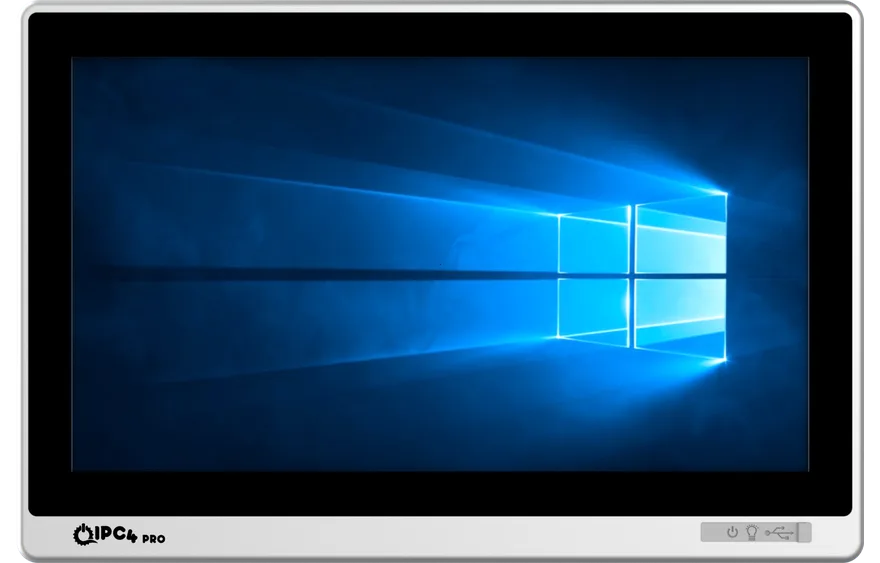
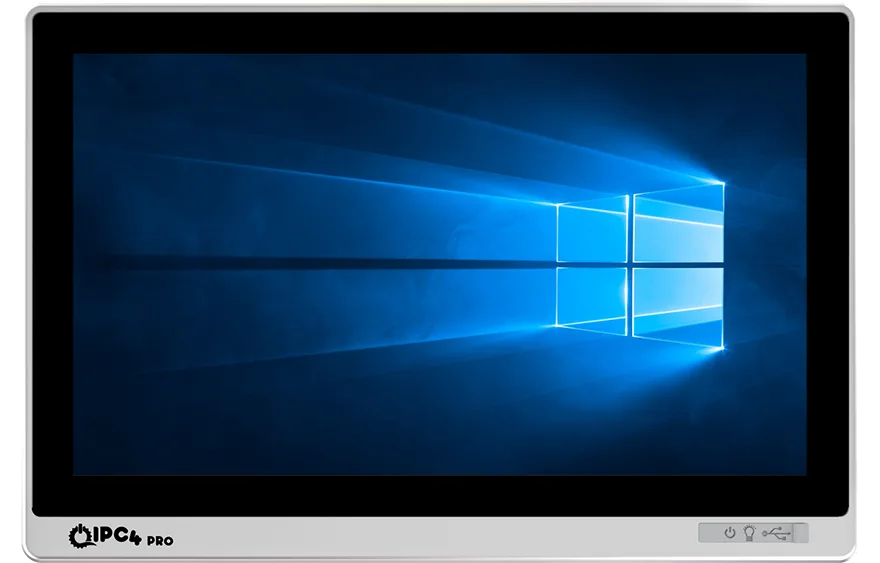
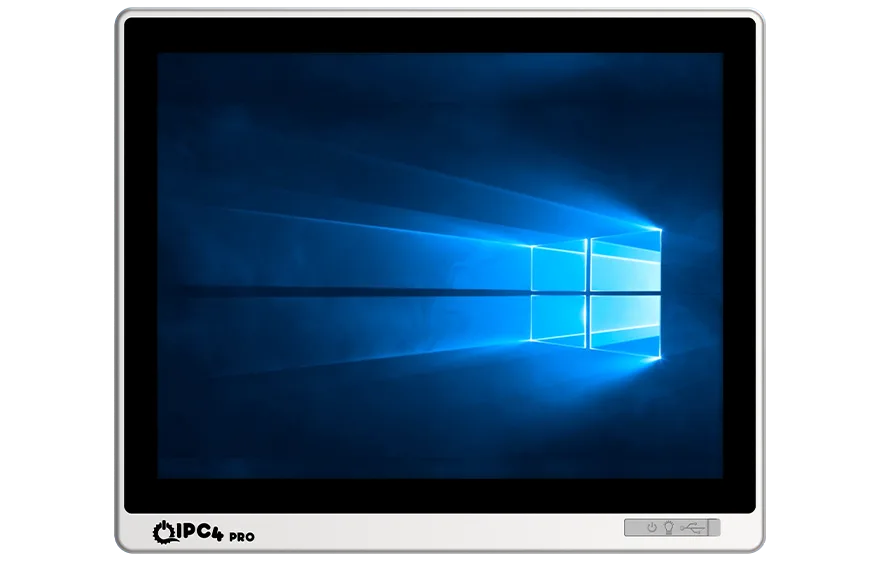
Industrial Panel PCs are "all-in-one" solutions that combine computer hardware and a touchscreen in a single rugged housing. They are used as operator panels or machine control interfaces. With IP65 front panel protection, a rugged enclosure and a fanless design, our IPC4PRO series runs reliably even in the harshest conditions.
What is the fundamental difference between an industrial PC and an office computer?
The fundamental difference is design intent and durability. Office computers are designed for 8–10 hours a day in clean environments, whereas industrial PCs are built for uninterrupted 24/7 operation. Industrial PCs use industrial-grade motherboards and long-life components, cover a wide temperature range (–20 °C to +70 °C), withstand vibration and shock, come in fanless designs that keep out dust and moisture, and are backed by 5–7 years of spare-part and model availability.
What is the difference between fan-cooled and fanless industrial PCs, and why should I choose fanless?
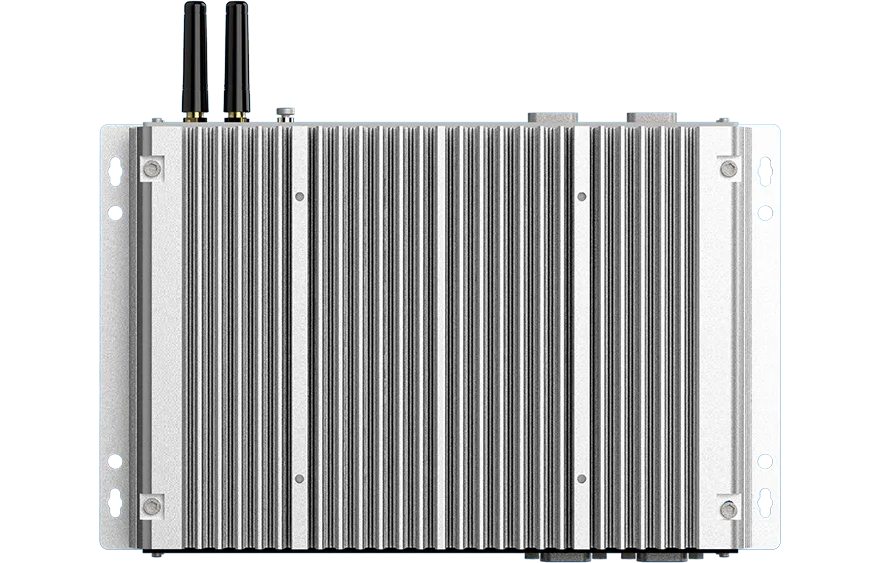
Fan-cooled systems actively expel heat, but in dusty, dirty or oily environments such as production floors the fans can clog, leading to overheating and short circuits. Fanless systems instead dissipate heat passively through a purpose-designed aluminium enclosure. Because they contain no moving parts, they keep dust out, need no maintenance, carry a lower risk of failure and run silently around the clock. Fanless designs are the usual choice in dusty industries.
Are rugged computers and industrial PCs the same thing?
"Rugged" describes a level of durability, and most high-quality industrial PCs meet it. A well-designed industrial PC qualifies as rugged thanks to its shock-absorbing design and solid enclosure. Models such as the IPC4PRO series therefore satisfy both industrial and rugged requirements.
Section 02

Use, Selection and Commercial Questions

Questions about applications, selection criteria, customisation, warranty, delivery and commercial support.

Where are industrial PCs used?
Industrial PCs are used for reliable data processing and control across a wide range of applications: machine automation (CNC and robotic systems), production line monitoring (SCADA/MES), logistics and warehouse management, healthcare (medical imaging equipment) and smart transportation systems.
What are the advantages of using an industrial PC?
The main advantages are strong protection against extreme temperature, humidity, dust and vibration; long-lasting performance from uninterrupted 24/7 operation; and low maintenance requirements. Thanks to their modular design, ICC, AAEON and IBASE solutions integrate easily into existing systems and allow flexible installation.
How do I choose the right industrial Panel PC for my project?
Weigh up the following criteria:

• Performance: the processing power your application needs (CPU/RAM).
• Protection class: how much dust and water resistance the environment demands (IP65 or above).
• Display: size, resolution and touch technology (resistive or PCAP).
• Mounting: installation options such as VESA, panel or wall mount.
• Support: after-sales support and warranty, for an investment meant to last.

ICC engineers will help you settle on the right configuration for your project.
Can Panel PCs be operated while wearing gloves?
Yes. Models with resistive touchscreens work without any problem even with thick work gloves. Models with PCAP screens can be used with thin gloves such as nitrile or latex, and many of them offer a "Glove Mode".
If I add new sensors later, will I have to replace the PC?
No. The modular AAEON- and IBASE-based PCs offered by ICC have generous expansion slots (PCIe, M.2) and I/O options, so you can easily add sensors, PLCs or additional cards. This modularity protects your investment and makes it straightforward to adapt the system to future needs.
Can I get quotation and project design support?
Of course. Once you share the details of your project, we carry out a free preliminary study covering model selection, performance analysis and pricing.
Can you customise the hardware (RAM/SSD/OS/I/O)?
Yes. Memory and storage options can be tailored flexibly to your project. For projects of 50 units or more, deeper configuration such as the operating system image, BIOS settings and additional I/O cards is planned before production.
What is the lead time for industrial PCs?
For IPC4 and IPC4PRO models held in stock, orders confirmed and paid for before noon are usually dispatched the same working day. For custom configurations or items not in stock, the lead time is typically 2 to 6 weeks.
What are the warranty and service terms?
All ICC products come with a standard 24-month warranty. The warranty period can be extended on request and on-site service options are available. Faults are tracked by serial number through a fast RMA process.
How long do industrial PCs last?
Thanks to their industrial-grade components, systems from quality manufacturers such as ICC, AAEON and IBASE offer a service life of seven years or more. Long-term product roadmaps and spare-part support from these manufacturers help protect the investment.
Section 03

Technical Problems and Solutions

Common technical problems, troubleshooting steps and solutions gathered from community forums.

Why do industrial PCs fail?
The most common causes are unstable power (voltage fluctuations), excessive heat or humidity, high electromagnetic interference (EMI), software faults and the natural ageing of components. Sound project design, quality component selection (ICC, AAEON, IBASE) and regular maintenance keep these risks to a minimum.
The device will not start and shows no response at all. What should I do?
Start by checking the power connections, the socket and whether the adapter works. Then open the enclosure and make sure the memory modules are fully seated; vibration can loosen them over time. Removing and refitting the RAM often solves the problem. If it persists, the power supply or motherboard may be faulty.
There is a beep code on power-up but no picture. What is wrong?
This usually points to a BIOS or memory fault. The most common cause is RAM that is not fully seated. Remove and refit the memory. If the problem continues, reset the CMOS settings or test with a different memory module.
The computer powers on and passes POST, but the operating system does not load. Why?
This is usually related to the storage device or the boot settings. Check the boot order in the BIOS and make sure the system sees the correct drive. The partition table may be damaged or the drive may have reached the end of its life. Testing the drive in another PC or reinstalling the system should resolve it.
The system crashes suddenly or shows a blue screen while running. What could cause this?
Blue screen errors usually stem from hardware conflicts, faulty or out-of-date drivers, memory failures or overheating. To keep a fanless system from overheating, leave enough airflow around it during installation and make sure the ambient temperature stays within the design limits.
The industrial PC boots very slowly. How can this be speeded up?
Disable unnecessary start-up programs. Scan the storage device for bad sectors and run disk clean-up tools. Turning off network services and drivers you do not need will further shorten the boot time.
The power LED is on but the system never starts. What should I do?
Reset the CMOS by removing and refitting the BIOS battery. Remove and refit the RAM and storage devices to rule out a bad contact. If the voltage rails are confirmed stable and it still will not start, the motherboard or the drive may have reached the end of its life.
There is no picture after the system starts. What could cause this?
Most often the device's default screen resolution or refresh rate is not compatible with the monitor you have connected. Booting into safe mode and lowering the display settings resolves it.
The keyboard and mouse do not work. How can this be fixed?
Check that the connections are correct and that the USB ports are not disabled in the BIOS. Test with a different keyboard and mouse, and if you are using an adapter, make sure the adapter itself is sound.
Is it normal for a PC with a "heat problem" to run warm?
On fanless systems, an enclosure that is too hot to touch is a natural consequence of passive cooling. However, if you are seeing freezes or crashes, the airflow around the enclosure may be inadequate, or the processor's power class may exceed the enclosure's cooling capacity. Leaving clearance around the device and mounting it correctly matter.
How are hard drive faults diagnosed and fixed?
Drive faults show up as a system that will not boot, slow start-up or file read errors. Check the data and power cables, then scan for bad sectors with disk testing software. Repair the drive if possible, or replace it. Regular backups are essential to prevent data loss.
How do I recognise and fix a memory fault?
RAM faults show up as blue screens, freezes or sluggish performance. Remove the memory, clean the contact surfaces and refit it. Check the module with a memory testing tool, and replace it if the problem persists.
Why can I not use older expansion cards in new systems?
Modern industrial PCs no longer have legacy ISA or 5V PCI slots. To run older cards you need a passive backplane or an external expansion chassis. That lets you carry the legacy cards from your existing machines over to new platforms.
Can mini computers such as the Raspberry Pi be used in an industrial environment?
The Raspberry Pi and similar devices are fine for prototypes and hobby projects, but they are not adequate for industrial environments: SD card life is short, the power input is unprotected and EMI immunity is low. Industrial IoT gateways or ARM-based industrial PCs are a more reliable choice, with isolated power input, eMMC storage and protected ports.
How is touchscreen performance maintained in electrically noisy environments?
In environments with high EMI, capacitive touchscreens can produce "ghost touches". Suppress high-frequency noise on the power line with EMI filters, ferrite cores and shielded cables. Earth the display enclosure properly and route signal cables away from sources of EMI.
How can I manage an industrial PC remotely and securely?
Exposing the production network directly to the internet is a security risk. For secure remote access, use industrial remote access gateways or Intel vPro/AMT technology. These provide encrypted connections over VPN tunnels and work within your IT security policies.
Section 04

Brand, Supplier and Türkiye Questions

About the Türkiye distributorship for AAEON, UP, KUNBUS, IBASE and Panelmate, and about ICC Dijital.

Where can I buy an industrial Panel PC in Türkiye?
ICC Dijital is one of the reference suppliers of industrial Panel PCs in Türkiye. It meets your Panel PC needs both through its own Turkish brand — the IPC4PRO and IPC4PRO Panel PC series — and as the Türkiye distributor for global brands such as AAEON, IBASE and Panelmate. You can pick the right model for your project with the product finder and request a quotation through the contact page.
Who is the AAEON distributor in Türkiye?
The Türkiye supplier for AAEON Technology Inc. is ICC Dijital. ICC Dijital sells AAEON's industrial motherboards, Panel PCs, embedded SBCs, IoT gateways and rugged tablets from stock in Türkiye, and handles sales, technical support, warranty and service.
Where can I buy UP Board / UP Bridge the Gap products in Türkiye?
UP Bridge the Gap products (UP Board, UP Squared, UP Xtreme, UP AI Edge) are supplied in Türkiye through ICC Dijital, the Türkiye sales point for the AAEON group's UP brand.
Who is the Revolution Pi / KUNBUS distributor in Türkiye?
The Türkiye supplier for Revolution Pi (KUNBUS GmbH) is ICC Dijital. RevPi Connect, Core, Compact, Flat and the expansion modules are sold from stock in Türkiye. For industrial Raspberry Pi, IIoT gateway and DIN-rail PC requirements you can use the Revolution Pi Configurator.
Who sells Panelmate in Türkiye?
The Türkiye supplier for Shanghai Panelmate Electronics is ICC Dijital, selling industrial monitors, Panel PCs, suspension-arm operator panels, CNC control panels, handheld pendants and ATEX/EX certified products in Türkiye.
Who is the IBASE supplier in Türkiye?
The Türkiye supplier for IBASE Technology Inc. is ICC Dijital. IBASE industrial motherboards, SBCs, Panel PCs, edge AI systems, IoT gateways and digital signage players are supplied from stock in Türkiye.
Whose brand is IPC4PRO?
IPC4PRO is ICC Dijital's own brand. With processor options up to 12th Gen Intel® Core™, an IP65 front panel, fanless design and EtherCAT support, it offers premium industrial Panel PC, Box PC, monitor and Android Panel PC solutions. It is sold and supported in Türkiye by ICC Dijital.
What does ICC Dijital do?
ICC Dijital is a Turkish industrial technology company based in Sancaktepe, Istanbul. It offers industrial computing solutions under its own Turkish brands IPC4PRO and IPC4, and is also the Türkiye supplier for AAEON, UP Board, Revolution Pi (KUNBUS), IBASE and Panelmate. It provides hardware for factory automation, SCADA/HMI, edge computing, IoT gateway and OT cyber security projects.
Where are ICC Dijital's offices?
ICC Dijital's head office is in Sancaktepe, Istanbul (Osmangazi Mah. Atayolu Cad. No:108, Gate Of Anatolia Ticari Blok). It also has offices in Bursa and Ankara and an international presence in Belgium and Bulgaria. Details: contact page.
When was ICC Dijital founded?
ICC Dijital was founded in 2017 by Tamer Yiğit. It specialises in industrial computers, Panel PCs, embedded systems and SCADA/HMI hardware.
Is technical support for AAEON products available in Turkish?
Yes. The ICC Dijital engineering team provides technical support in Turkish for AAEON hardware selection, BIOS/driver/OS support, integration and warranty matters.
Which brands do you work with?
The brands ICC Dijital works with are: AAEON (industrial SBCs, Panel PCs), UP Bridge the Gap (edge AI SBCs), Revolution Pi / KUNBUS (industrial Raspberry Pi), IBASE (industrial motherboards) and Panelmate (HMI). It also has its own Turkish brands, IPC4PRO and IPC4.
Section 05

Comparisons — "X vs Y" Questions

Comparisons such as Panel PC vs Box PC, fanless vs fan-cooled, IP65 vs IP66 and AAEON vs IBASE.

What is the difference between a Panel PC and a Box PC?
A Panel PC combines display and computer in a single housing (all-in-one) and is used as an operator interface. A Box PC is a compact industrial computer without a display, running with an external monitor or headless. Choose a Panel PC when operator interaction is needed, and a Box PC when only data acquisition and processing is required.
Should I choose a fanless or a fan-cooled industrial PC?
In dusty, dirty or oily production environments, or anywhere running 24/7, always choose fanless. Fan-cooled systems may be cheaper, but a fan lasts only two to three years, clogs and makes noise. Fanless systems cool passively through an aluminium enclosure, have no moving parts, run silently and need no maintenance. In clean, office-like environments a fan-cooled system is also fine.
Is IP65, IP66 or IP69K the right level?
IP65 = dust-tight and resistant to splashing water (production lines, warehouses, standard factories). IP66 = dust-tight and resistant to powerful water jets (outdoors, wash-down areas). IP69K = high-pressure hot water jets (food, pharmaceutical and other hygienically washed facilities). IP65 is enough for a general factory; IP66 or IP69K is essential for food and pharmaceutical use.
AAEON or IBASE?
Both are Taiwan-based manufacturers of quality industrial PCs. AAEON is part of the ASUSTeK group and has a broad range in embedded and edge AI, with a wide choice of IoT gateways and Panel PCs. IBASE stands out with its ISO 13485 medical certification, is strong in ODM/JDM customisation and is a common choice for digital signage and medical projects. Take advantage of our consultancy for your particular project.
What is the difference between the Raspberry Pi and the Revolution Pi?
The Raspberry Pi is designed for hobby and prototype use (5V, SD card, plastic case). The Revolution Pi is based on the Raspberry Pi Compute Module but is industrial grade: 24V power, DIN-rail mounting, isolated I/O, fieldbus modules (Profinet, EtherCAT, Modbus, CAN), real-time Linux and made in Germany. It can be used with confidence on the production line, in SCADA and as an IIoT gateway. More detail.
Windows IoT or Linux for an industrial system?
It depends. Windows IoT Enterprise: compatible with SCADA software (Wonderware, WinCC, Citect), straightforward for GUI applications, integrates with Active Directory, licensed. Linux (Ubuntu Core, Yocto, Debian): free, lighter, ideal for edge AI and IoT applications, long-lived. We recommend Windows for enterprise SCADA, and Linux for edge AI, IoT gateways and headless data acquisition.
Resistive or PCAP touch?
Resistive: works with anything — thick gloves, a bare hand, a stylus, even a screwdriver. Single touch. Cheaper. Preferred in heavy industry where gloves are worn. PCAP (capacitive): multi-touch, more responsive, a more modern look, works with a finger or thin gloves such as nitrile. With a "Glove Mode" it can also be used with thicker gloves. PCAP is ideal for modern HMI and for food and cleanroom environments.
Should I buy an industrial monitor or a Panel PC?
If you already have a separate computer (a Box PC or PLC) and only need a display, an industrial monitor is the cheaper option. If you need both computer and display in one unit, choose a Panel PC — integrated, fewer cables, more compact. A Panel PC is also the more flexible choice for future expansion.
Mini-ITX or COM Express motherboard?
Mini-ITX: a standard form factor, readily available, quick to integrate, with plenty of enclosure options. COM Express: modular — the carrier board and the processor module are separate. Long life (10+ years), easy upgrades, and you can design your own carrier board. COM Express suits volume production and long-life projects; Mini-ITX is more practical for one-off custom builds.
When is an ATEX/ExProof Panel PC required?
ATEX-certified products are a legal requirement in environments with a risk of explosive atmospheres — oil and gas, petrochemicals, paint, solvent chemistry, pharmaceutical production areas and flour mills (dust explosion). We can select a product matching your zone classification from our ExProof Panel PC and ExProof Monitor categories.
VESA mounting or panel cut-out mounting?
VESA (75x75 / 100x100 mm): flexible mounting with standard arms, wall brackets or desk stands. Easy to service and swap out. Panel cut-out: the device is recessed into the cabinet with only its front face exposed, giving IP65 front panel protection. Choose panel cut-out for integration into a bench or cabinet, and VESA for systems that move.
DIN-rail PC or standard PC?
For integration inside a switchgear cabinet a DIN-rail PC is ideal — it clips onto the standard 35 mm rail, runs on 24V industrial power and is compact, sitting alongside the PLC and I/O modules. If you need more processing power, a GPU or extensive I/O, choose a standard Box PC.
Section 06

Industry Solution Questions

A Panel PC selection guide for the food, automotive, pharmaceutical, energy, smart transportation, logistics, petrochemical and defence sectors.

Which Panel PC is suitable for a food factory?
Because food facilities are washed down hygienically (CIP, pressurised hot water), we recommend a fanless Panel PC with IP66 or IP69K protection front and rear and a stainless steel housing. A coating that resists acid and alkaline disinfectants matters too. IPC4PRO and Panelmate options in the Panel PC category are suitable. Ask us for advice.
How should I choose an HMI Panel PC for an automotive production line?
On automotive lines, EMI/EMC immunity is critical (welding equipment, motors). You need a wide temperature range (0–50 °C), vibration resistance, multiple fieldbuses (Profinet, EtherCAT), PCAP touch with a glove mode, and 24V industrial power. AAEON and Panelmate are frequent choices in this sector.
What medical PC solutions are there for the pharmaceutical sector?
Pharmaceutical manufacturing requires ISO 13485 and GMP compliance. IBASE produces ISO 13485 certified medical PCs. The Medical Panel PC category includes models offering IP65/IP66 protection, an antimicrobial housing, fanless design and long service life.
What SCADA hardware is needed in the energy and grid sector?
For substations, wind and solar sites and power generation plants you need a wide temperature range (-20 °C to +60 °C), isolated 24V power, multiple serial ports (RS-485/422), Modbus/IEC 61850 support and EMC immunity. Embedded systems from Revolution Pi and AAEON are suitable.
What hardware is needed for smart transportation systems?
For licence plate recognition, toll systems, car park automation and in-vehicle computers you need a wide 9–36V in-vehicle supply, a wide temperature range, vibration resistance, a GPS/4G/5G module and multiple camera inputs. See our Smart Transportation Products category and our AI licence plate recognition solutions.
What should I use as a logistics warehouse terminal?
For warehouse automation: a rugged tablet for mobile scanning, a fixed Panel PC at goods in and out, and a kiosk with a barcode/RFID reader. In cold stores, models rated to -20 °C are essential. The Rugged Tablet and Kiosk categories are suitable.
Which industrial PC suits a cold store or cold chain?
You need wide-temperature industrial models rated down to -20 °C. Industrial-grade eMMC or a wide-temperature SSD rather than a standard SSD, a heated LCD panel and an anti-condensation design are all critical. We offer dedicated consultancy for cold chain projects.
What is the explosive atmosphere solution for a petrochemical plant?
Petrochemical, gas and chemical plants use ATEX Zone 1 / Zone 2 certified ExProof Panel PCs and monitors. Our ExProof Panel PC category includes models suitable for Zone 2. For Zone 1 we quote on a project basis.
How should a machine builder (OEM) choose a Panel PC?
What matters for OEMs and machine builders: long life (5–7 years of spare parts), customisation (logo, port layout, BIOS), volume pricing and technical drawing support. Panelmate is strong in private-label HMI, and AAEON offers an ODM service.
Section 07

Pricing, Ordering and Logistics

Pricing, stock, lead times, warranty, payment, shipping, export and after-sales processes.

How much do industrial Panel PCs cost?
The price depends entirely on the configuration: screen size (7"–24"), processor class (Celeron to Core i7/i9), memory and storage, IP rating and brand. Our range runs from entry-level 7"–10" Panel PCs up to industrial-grade 21" Core i7 IP65 models. For a quotation tailored to your project, reach us through the contact form or PCFinder.
My budget is under 100,000 TL — can I buy a Panel PC for a factory?
Yes. Under 100,000 TL you can have a professional industrial Panel PC with an IP65 front panel, fanless design, a 12"–15" screen and a Core i3/i5 processor. There are affordable, durable models in the IPC4PRO and Panelmate ranges. Tell us what you need and we will come back with two or three specific recommendations.
Do you hold stock, and how quickly can it arrive?
A significant proportion of the models listed in PCFinder are held in our own stock. For items in stock, orders completed and paid for before noon are dispatched the same working day. For items not in stock or custom configurations, the lead time is 2 to 6 weeks.
Can you provide a sample or demo before I order?
Yes. For projects of 50 units or more and for OEM customers we provide proof of concept (POC) and demo units, so you can test the device on site to validate the project before production. Get in touch.
How do invoicing, e-invoicing and VAT work?
ICC Dijital Endüstriyel Teknolojiler Ltd. Şti. is registered for e-invoicing. Corporate sales quote prices with and without VAT, and every sale is issued as an e-invoice. Tax number: 2110696413. MERSIS: 0211069647300014.
What are the payment terms?
Standard payment is advance bank transfer or credit card. For corporate customers we offer 30–60 day terms, subject to credit approval. Staged payment plans can be arranged for large projects.
Do you ship throughout Türkiye?
Yes. We ship to every province in Türkiye with delivery to your door. Regional support is provided through our offices in Istanbul (head office, Anatolian side), Bursa and Ankara. Field engineers are available for projects that need on-site installation.
How long is the warranty?
All our products carry a standard 24-month warranty. On request this can be extended to up to five years. The warranty is tracked by serial number and the RMA process is handled quickly.
How do service and technical support work?
Repairs are carried out by our Istanbul-based technical service, either on site or by return to base. You can raise a support request by phone (+90 216 510 66 96), by e-mail (info@icc.com.tr) or through the service request form. Maintenance contracts with an SLA are available to corporate customers.
Do you export, and can you ship outside Türkiye?
Yes. We export to Europe through our offices in Belgium and Bulgaria, and to other countries on a project basis. Export invoicing, customs documentation and international shipping are all handled by ICC Dijital.

Still have questions?

Our expert team is ready to help with any question you have about industrial PCs and Panel PCs.

Contact Us